

Nuleep
Automated Resume Builder for Nuleep Mobile App
Nuleep is a Job platform app that is focused on helping the user better match with companies and find better-fitting jobs by considering lifestyle and values. They accomplish this by helping job seekers, as well as employers, narrow down their (values, culture, skills).
With the COVID-19 pandemic, it’s no surprise that unemployment rates have skyrocketed. But it’s important to note that while 16 to 29-year-olds make up under a quarter of the whole labor force, yet “they accounted for about a third of the rise in the unemployment rate between February and April of this year.” They made it their goal to help this impacted community, by making the job search process more human.
HIGH LEVEL TIMELINE
3 1/2 weeks sprint
MY ROLE
Lead UX Researcher, Lead UX Writer
TOOLS
Figma, Notion, Miro, Whimsical Google Surveys, G Suite, Zoom
How might we make it easier to apply for a variety of roles during the job search?
THE CHALLENGE
Gen Z job applicants have many interests. They need a way to easily find the correct wording for their work experiences so they can quickly make changes and tailor to the many different roles they're applying for.
THE SOLUTION
I created an automated resume builder for Nuleep's Job platform app.
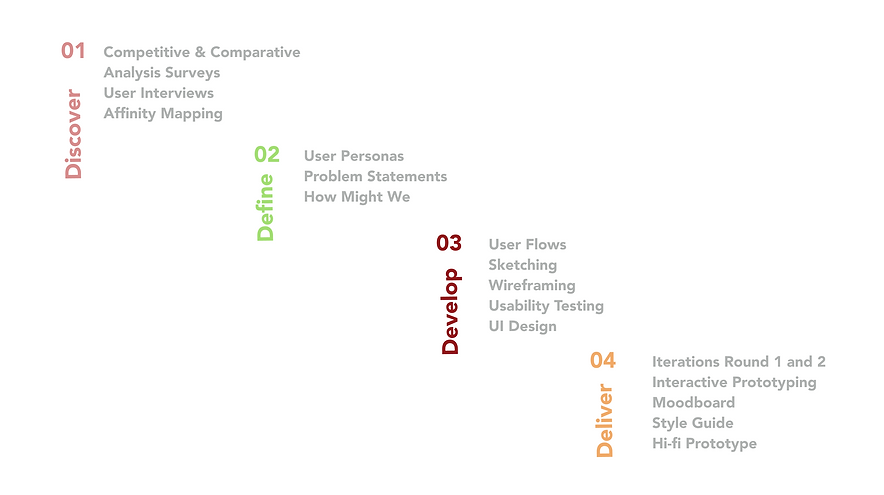
Design Process
Surveys
I then created a survey so I could gather both qualitative and quantitative data. I distributed them out to current college students and recent graduates that fit our Gen Z population. This helped me to discover where current pain points were for job applicants, as well as what tools they currently integrate into the job search.

-
I learned that over half of our users have used a platform to create a resume
-
I also learned that 77% of our users have searched for jobs within the last 3 months.
-
Also, 50% said they apply for many different roles during their job search.
-
I also saw a breakdown of our targeted Gen Z users.
With sophomores as the majority, followed by Recent Grads.
User Interviews
I then conducted some user interviews using the current Nuleep app, as well as asked some open ended questions to gather more qualitative data. Then I created an Affinity Map from all the data I collected from users. Using our Affinity Map I garnered some "I" statements to better understand our users.


01. Discover: Research
Competitive Analysis
During the research stage, I gathered data and ideas for how I might like our resume builder to look. I found that the most popular job search platforms had resume builders but they were not very mobile-friendly or were not available on mobile, while competitor resume builder apps were exclusively builder tools and did not include any other steps of the job search process.
Here I explored keyword some key features such as keyword suggestions and insights, the ability to save multiple resumes, and the ability to upload from different platforms:


Define : Synthesize
The Prospective GEN Z Applicants
From gathering insights from our user interviews and surveys through affinity mapping and "I statements", I was able to define 2 key personas from the data that represented 2 distinct types of Gen Z student applicants' behaviors, needs, and pain points.
Sabrina, 20

Aspiring Designer
-
Sabrina is an Aspiring Designer.
-
She frequently updates her resume to better match the variety of roles she applies for.
-
She would love it …..If she could create multiple resumes while she’s busy juggling many things.
-
Her current preferred method of updating her resume includes Canva and Indesign.
Steve, 21
Aspiring Engineer
.png)
-
Steve is an aspiring Engineer who doesn’t often update his resume.
-
He believes that if he’s not a complete match with the job posting, he won’t bother applying.
-
He typically only prepares 1 general resume for all the jobs he applies to.
-
His current preferred method of updating his Resume includes Latex (resume builder for programmers), as well as Google Drive.
.png)

.png)
Develop : Ideate

Sabrina's User Flow
Sabrina finds a new job posting she is interested in and begins tailoring her resume for that job. She selects a resume and edits a new copy of it. She then selects an experience to tailor and uses the suggested keywords and keyword finder features to better match the job posting.
In order to develop the wireframes, I then conducted another round of rapid research to find inspiration from other well-known apps to find common UI patterns that could help make Sabrina and Steve's flows more simple and intuitive.
Text Editors and Organization


As Sabrina's Flow to tailor her resume is one of our key features in this project, I researched many commonly used apps such as Google Drive and Pinterest that are very overlay-heavy. For Sabrina, the majority of her flow exists in overlays on top of the job post page as she needs to tailor for that specific job so I wanted to better understand how apps such as Google Drive and Pinterest are able to feel simple and intuitive despite a lot of activity happening within and between overlays.
I also took a look at many different text editors within commonly used apps to understand better the common UI patterns users are used to in order to make the wireframes more intuitive. Above we see the most common "close" and "done" options on the top left and right of text editor screens within Google Drive and Slack apps.
Our team also researched other resume builder apps such as the top right for inspiration on how to organize our resume builder information.
Rapid Research - Feature Inspiration
Wireframes
Below is Sabrina's wireframe flow and really our focus and key feature for this app. After she selects the resume and work experience she would like to edit, she clicks on a bullet point tile to begin tailoring:

Here she arrives at the main text editor screen to tailor her bullet points to the job posting. We really strived to add features here that could best empower the prospective applicant.
As our key focus text editor screen very features heavy,
I proceeded to check feasibility with developers....
.png)

Deliver : Implement
Iteration 1
Using the usability testing round 1 insight above, I proceeded to iterate, iterate, iterate! I aimed to improve:


Hi-Fi
Clickable Prototype:
Next Steps
Accessibility
Nuleep's current primary button does not meet the contrast standard for accessibility of 4.5:1. We would like to explore a matching color palette to find a new primary button that is consistent with the design style that can meet accessibility standards.

A/B Testing
We would like to conduct AB testing on the updated flow of having the user edit as a new resume as compared to the function of saving as new resume at the end. Based on user feedback, we may want to further design both options into the flow.


Automated Cover Letter
Another pain point that came up was writing cover letters. I would like to implement the automated feature into writing cover letters as well.

Integrations
We'd like to further explore integrations for different suggestive wording tools out there such as Wordtune, an app that can suggest wording based on desired length and tone.

Tool Tips
Create tooltips to help onboard new customers.
